Some internal tasks do not need a full web service. They need a small tool that runs on a workstation, stores data locally, and does one specific job without extra infrastructure. That is the idea behind this educational API key validator: a Python and Tkinter desktop app for storing testable keys locally and checking them against an explicitly configured server.
The project has a clear boundary: it is intended only for educational use and for working with owned keys, test values, and servers the user is allowed to test. It is not a tool for checking unknown third-party keys or probing systems without permission.
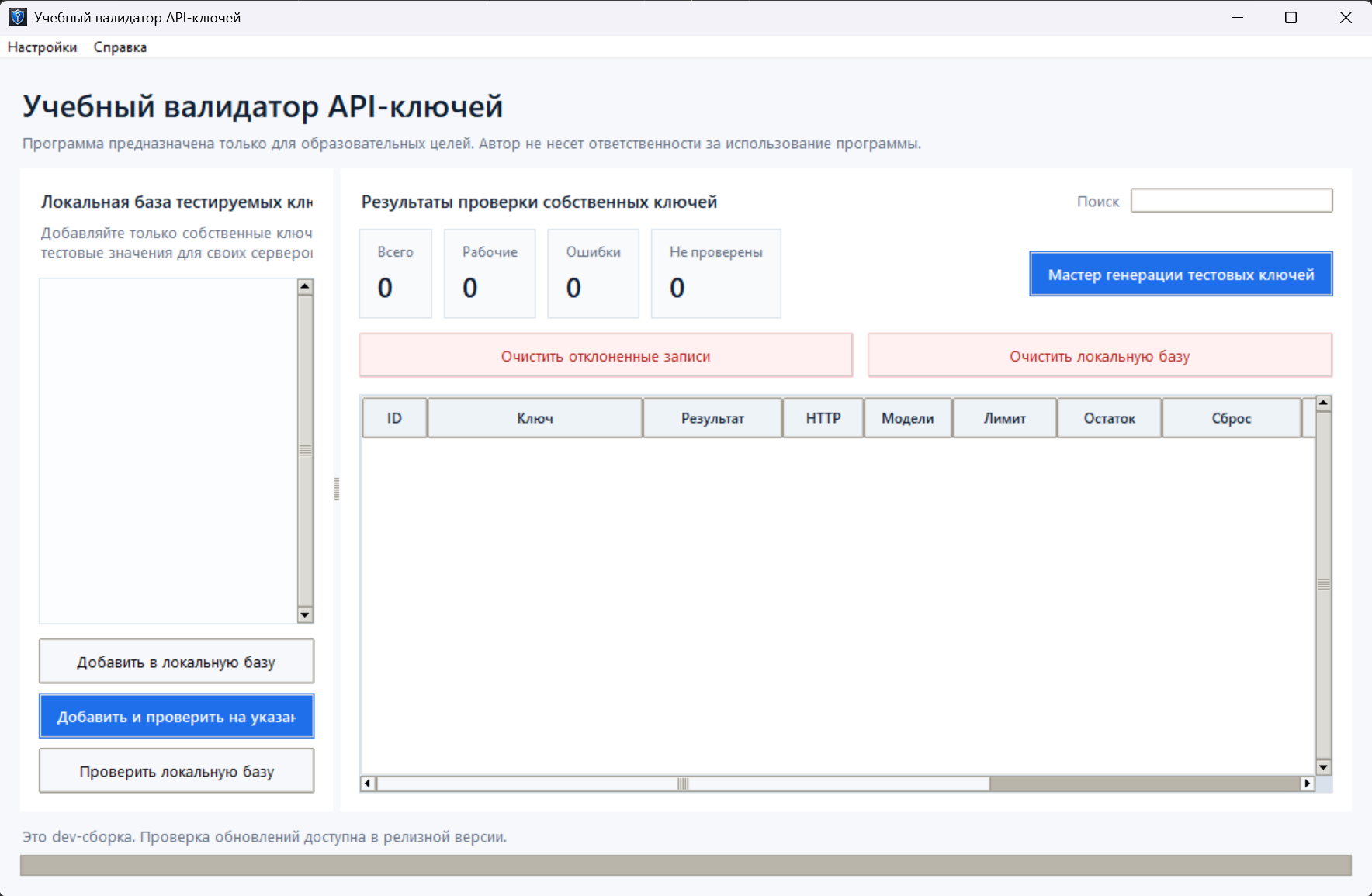
What problem the app solves
The basic scenario is simple: a user has a list of owned API keys or test strings and needs to see how a specific server handles them. Manually, this usually becomes a pile of curl commands, a text file, and no useful history.
The app keeps that flow in one window:
- keys are added to a local SQLite database;
- full values are encrypted with a master password;
- duplicates are detected through a SHA-256 hash;
- check results are stored next to each record;
- the check server URL and worker count live in settings;
- table rows can be copied, rechecked, and deleted from the context menu.
Why desktop instead of web
For this task, a desktop app is practical. There is no server to run, no user management, no hosting, and no remote database to protect. The data stays on the user's machine, and the app only sends outgoing requests to the URL configured in settings.
| Approach | Benefit | Risk |
|---|---|---|
| Web service | Easy to share access | Requires separate protection for the server, users, and stored data |
| CLI script | Fast to build | Harder to inspect history and large lists |
| Desktop app | Local storage and clear UI | Needs a release and update process |
What is inside
The project is split into small modules. The app controller connects the UI, SQLite storage, HTTP client, and background scanner. The UI is separated so the main app file does not become one large Tkinter class.
The core modules are:
storage.pyhandles SQLite, encrypted records, settings, and check results;openai_client.pysends the HTTP request to the configured API URL;scanner.pymanages the queue and worker threads;key_generator.pycreates test strings in old and new formats;update_checker.pychecks new versions through GitHub Releases;ui/contains the main window, dialogs, settings, and generation wizard.
Local storage and master password
Keys are not stored as plain text. On startup, the user enters a master password. The app derives a Fernet key from it and encrypts full values before saving them into SQLite.
If the password does not match the existing database, the app does not crash with a cryptography traceback. It shows a clear dialog: retry the password, delete the local database, or exit. That small UX detail matters. The user should understand what happened and what each action means.
For a local tool, error UX is as important as the cryptography itself: the user must understand the consequence of each action.
Check settings
The server URL and worker count are stored in the Settings menu. These values are saved in the same SQLite database, in the settings table.
This is better than hardcoding the URL or asking the user to enter it every time. The app also stays explicit about where requests go: the server address is visible and configurable.
Generating test strings
The app includes a wizard for generating test strings in old and new formats. Before opening it, the app shows a warning: generation is intended only for testing owned servers and educational environments.
The point is not to guess real keys. The practical use is to test how a server handles different input formats, how it reports errors, whether it breaks on long strings, and whether invalid values are processed safely.
Releases and updates
The project uses a GitHub Actions workflow for releases. When a tag like v1.0.0 is pushed, the workflow builds a Windows exe with PyInstaller, packs it into a ZIP, and uploads the archive to GitHub Releases.
The app can check for updates. It reads the latest GitHub Release, compares versions, and offers to open the download page. It is not a self-replacing updater, and that is intentional. For the first release setup, a clear download link is safer than trying to replace a running exe.
What is useful here
- data stays local;
- keys are encrypted with a master password;
- checks can be stopped and started again;
- results are stored in a table;
- settings survive restarts;
- releases are built automatically from tags;
- users can see when a new version is available.
Result
The project is small, but it has most of the pieces internal desktop tools often need: local storage, encryption, settings, background work, tests, documentation, exe packaging, and release publishing.
The main lesson is simple: even a small tool is worth building in a way that survives more than one evening and one version.